How Elementary School Students Can Use Programming Software to Create a Good Project
This article is quite long, so it is recommended that you bookmark it for later reading. If you find any errors, experienced users are welcome to correct me.
Following up on the previous programming article on my homepage:
How to Use Prompts to Create a Multifunctional Blog Project
Jules is an experimental AI project from Google. Google released Antigravity (antigravity.google) and Jules almost simultaneously in the AI field.
After November 11, 2026, Jules’ editing function will be discontinued, with only historical records retained.
As someone who participated in the trial, I find Jules much more convenient to use than Antigravity. Antigravity cannot be used on Android phones; it only supports operation on a computer that is powered on and connected to the internet. The computer must run Windows 10 or later. It supports Apple and Linux systems. This creates a lot of inconvenience for me. This setup is incredibly frustrating: as someone highly dependent on an Android phone, I can’t possibly replace my computer or other equipment just for one feature.
All right, back to the main topic.
A blog project named White Fox. Write the project introduction, deployment guide, build instructions, and variables in the repository. Implement deployment methods for various platforms, including Tencent Cloud and Alibaba Cloud. Prioritize one-click pull-and-deploy through Cloudflare; for one-click file uploads and deployment through Pages, explain how to obtain the upload package. Create an attractive interface.
Implement one-click blog bookmarking. Include a built-in bookshelf with complete management functions, allowing local e-books to be uploaded to the bookshelf. Include a built-in photo album. Include built-in music and video player functionality, allowing users to find and play local files as well as website files from entered URLs. Implement one-click downloading by entering a file URL. Include built-in website bookmarking and selection functions. Include a built-in search engine and web browsing functionality, allowing searched websites to be added to bookmarks with one click. Allow manually entered URLs to be bookmarked. Allow locally uploaded bookmark URLs to be selectively added to bookmarks with one click. Allow locally uploaded bookmarks to be used. Support connecting to D1 and databases on various platforms to synchronize bookmarks and browsing history, as well as photo albums and blogs. Support connecting to R2 and object storage on various platforms for file storage. Include a built-in cloud-drive feature: users can log in to a cloud drive and save site files to a specified folder in the drive with one click, or quote files and URLs from the cloud drive on the site with one click. The administrator password is a deployment variable. Implement user registration, with a one-click switch that allows or disallows registration. Register with a default username and password, and explain that password recovery is not supported. Support email registration, with an option for the administrator to configure automatic verification-code replies by email during registration.
Start writing the project and save it to the repository.
[Image]
After learning how to use prompts, you also need to learn how to find project errors.
First, inspect things manually yourself. Opening, examining, and trying things out is the most appropriate approach. Don’t trust AI too much.
Many things have a profound side, and AI programming is no exception. Although AI can save time and effort, it is not omnipotent and cannot do everything for you. Therefore, students without a solid programming foundation will find it somewhat difficult to do this well. When problems occur, they may not know how to solve them. In such cases, the best approach is still to ask another AI for help. Of course, it is even better if you can identify and troubleshoot the problem yourself.
First, identify the problem correctly. Different errors have different causes. For example, the following error may occur: the same administrator, the same project, and the same password, but logging in leads to different rooms. In this situation, how would you even know what to ask? Is it a data-synchronization problem or an administrator-account problem?
When asking another AI for help, you can write something like this:
Please analyze the following code or website. You will need to enter or upload it first. Effectively resolve the problem where, after binding a database, the same project and administrator password lead to different interfaces.
AI’s response:
Root causes
-
The synchronization room key is randomly generated on each device.
getOrInitSecureSyncKey()generates a randomwf-xxxxthe first time each browser is opened, so each device reads from and writes to a differentsite_syncrecord in D1. -
After the database is bound, each device has its own independent articles, appearance, and configuration, making it appear as though “the same password leads to different interfaces.” There is also nowhere in the settings page to change this key.
-
The site owner is assumed when there is no session.
currentUseris initialized asadminwhen there is no login record, so after logging out and refreshing—or when switching to another device—the site-owner interface is entered directly. -
The administrator password is checked only on the frontend. The credentials used for comparison come from each device’s build or cache, and
whitefox2025,fox, and the site name are hard-coded as backup account credentials, causing login results to vary by device.
Changes
-
Unify the synchronization room: All devices now share
whitefox-site-mainby default. Old random keys are automatically migrated back to the shared room, and local data is merged with cloud data without loss.SYNC_ROOM_KEYcan also be set on the server to force a specific key. -
Server-side authentication: Add
functions/api/auth.jsandfunctions/_lib/auth.js. The site-owner username and password are verified on the server using the Cloudflare environment variablesADMIN_USERNAMEandADMIN_PASSWORD. After successful verification, a session token is issued, valid for 30 days. Old tokens are automatically invalidated after the password is changed. -
Protect writes: Writes to
/api/syncrequire a site-owner token, while reads remain public. After sharing the room, writes must be restricted; otherwise, anyone could overwrite the site data.
Change the default identity to visitor: When the page loads, it checks the token with the server. If a locally retained site-owner status has an invalid token, it is automatically downgraded to visitor. -
Remove hard-coded account credentials: Login now always uses server-side verification, falling back to build-time variables only in environments without Functions, such as local development.
Other changes: Synchronize version numbers when pulling cloud data to reduce 409 conflicts during the first push from a new device. ChangeAuthModalto submit asynchronously. Add explanations toREADMEand.env.example.
Required after upgrading
Set ADMIN_PASSWORD in the Environment variables section of Cloudflare Pages. Setting ADMIN_USERNAME at the same time is recommended.
Redeploy, then log in to the site-owner account again on every device.
If ADMIN_PASSWORD is not set, login will fall back to the frontend build-time variable, and writes to /api/sync will not be protected, leaving the system just as it was before the fix. Therefore, be sure to set it.
This kind of rapid response is something humans would find very difficult to accomplish.
However, before making corrections, you need to get the project details right. If you rush to fix things without first handling the details, you may easily create secondary problems. The order is important, just as when renovating a house: you must do the masonry work before the carpentry. When making scrambled eggs with tomatoes, you must cook the eggs first.
For example, after completing the basic framework of a blog project, you may need the following optimization prompts. (Each sentence is an instruction for correction, and you need to consider the processing capabilities of the AI you are currently using. You can enter multiple sentences or a paragraph at once. However, programming software has higher requirements for prompts longer than 1,000 Chinese characters. The prompts are not the same for every project; you need to consider your own project’s needs, plan, decide, and modify them yourself.)
Prompts
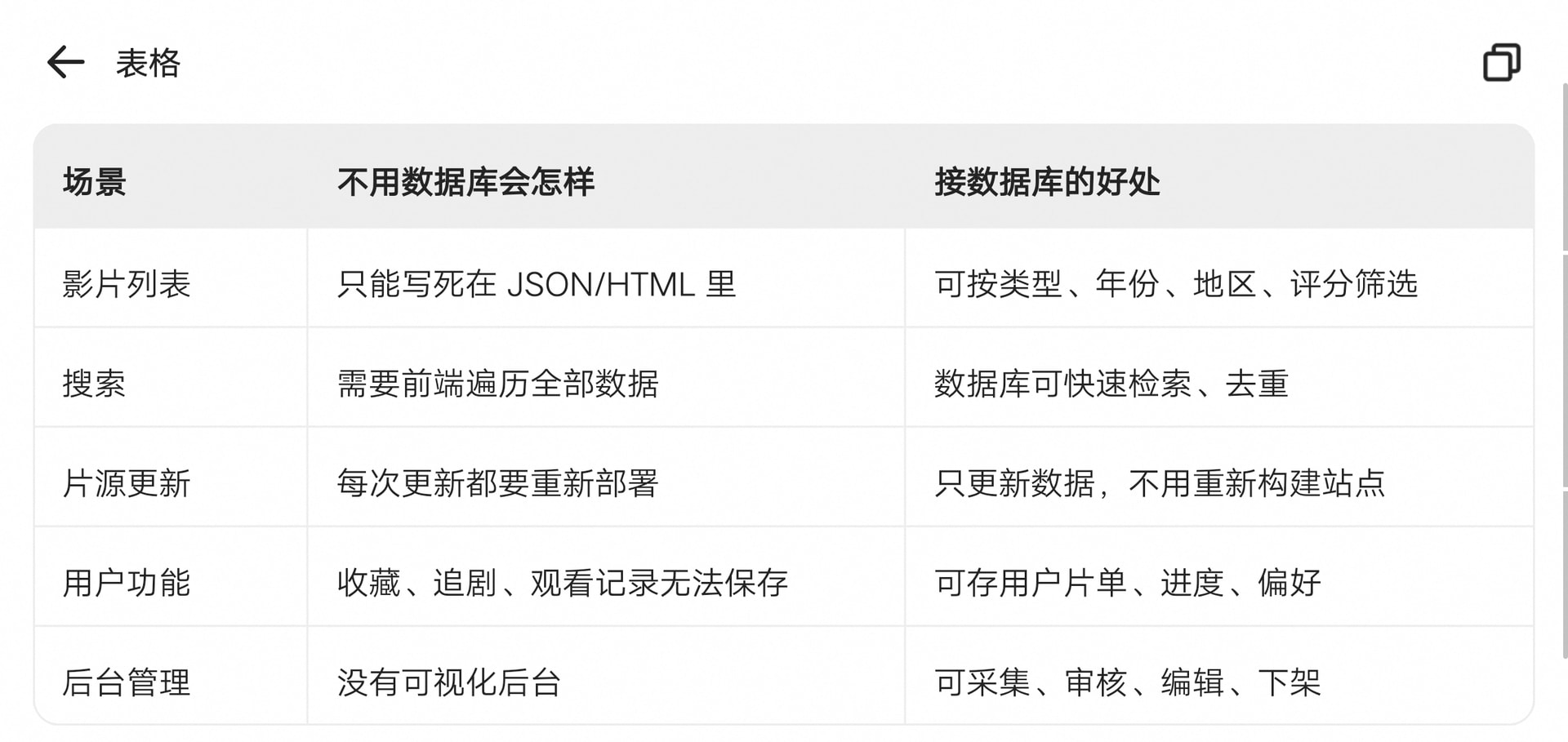
Implement direct binding to CF and R2 from the Cloudflare backend. After connecting the D1 database and object storage, effectively resolve synchronization issues. Add instructions for D1 databases and R2 object storage to the site’s deployment guide. Ensure that database connections and backend database connections work and display their status normally, and configure status indicators. Add more deployment-platform guides and document them in the repository. Ensure fully functional data synchronization, including uploaded file lists, file thumbnails, files, articles, saved cloud-drive data, configured email addresses and interfaces, and more. Make language switching work properly. Pages Functions route proxy. Parameterized SQL. Optimistic locking with versions. Use Date.now() consistently for millisecond timestamps. Retry mechanisms and status indicators. Set the password and username during deployment. Add a browsing-history section to the left of blog articles, with options to delete records and go directly to them with one click. Only administrators may use all editing functions. Registered users may manage only the files they upload; they must not delete or modify other users’ files or administrator settings. Visitors may only browse and view content. Fully fix normal uploading and downloading of the site owner’s files. Add a one-click function to select and insert photos from the cloud album into blog posts. Implement the ability to modify the photo in the homepage introduction section. Implement the ability to modify the text in the homepage introduction section. Display the site’s total and used storage capacity in the homepage introduction section. Add a file section visible only to administrators. Allow files to be uploaded, viewed, edited, downloaded, and deleted individually or in batches, with extensive file-support and management features.
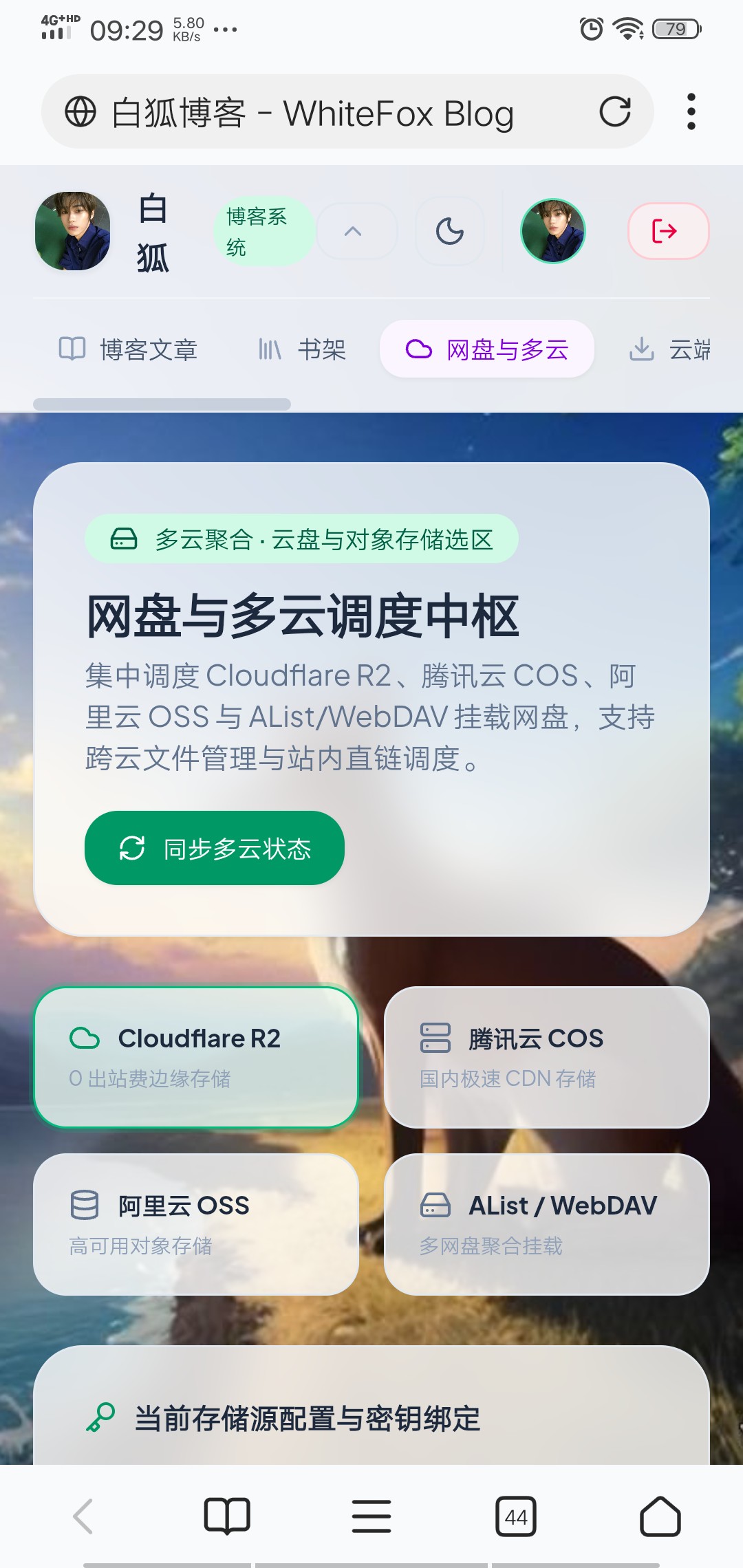
Add a detailed guide for using the cloud-drive and multi-cloud scheduling hub. Implement uploading and downloading local e-books. Provide administrators with complete e-book management functionality. The media section should support uploading and playing local audio and video, with complete media-file management. Save media files. Allow blog articles to be downloaded with one click, supporting TXT format. Add a batch document-upload option beside the upload/add e-book controls, allowing multiple documents to be selected and uploaded with one click. Implement in-site management of files uploaded to cloud drives and the ability to reference files in cloud drives. Add upload and download progress bars. Make e-books support fullscreen viewing on mobile without obstructing the display at the top of the phone. Ensure the logout button and function work properly. Ensure the login and registration panels work properly. Move the layout-switching button into the settings section. Allow the header to be expanded and collapsed. Allow custom site-wide background images and avatars; photos in the homepage introduction section should also support local image uploads and configuration. System-management options should be visible only to administrators.
Add theme color adjustment and a global background customization section. From top to bottom, the section should contain the following controls: theme color adjustment (one-click quick color matching), custom background color palette, custom avatar, site-wide background image, and homepage introduction photo. All sections should be expandable and collapsible. Add one-click switching between mobile and desktop interfaces. Add a registered-user management list section (for administrators only). Add file-management sections for object storage and cloud drives.
Effectively connect Workers with storage, databases, AI, and other services. Enable direct database and R2 binding from the CF backend dashboard.