Prerequisites:
- At least 2 domains: one as the website domain and another for distribution (of course, you can use more if needed).
- A vps8.zz.cd account with an APIKEY generated.
- If you don’t have your own server, you can use VPS8’s daily check-in chicken (sign-in VPS) together with the VPS8 Tunnel feature. It’s recommended to use a PRO plan, but the Standard plan also works.
Getting Started:
- Use VNC or another SSH tool to log in to your server.
Install Docker:
curl -fsSL https://get.docker.com -o get-docker.sh && sh get-docker.sh && systemctl start docker && systemctl enable docker
- Install git. If your server already has git, skip this step.
apt install git -y
- Deployment
git clone https://github.com/chengdada123/opendomain.git
cd opendomain

cp .env.example .env
- Edit environment variables
nano .env
Key settings to modify:
VPS8_OPENAPI_URL=https://vps8.zz.cd
VPS8_OPENAPI_USER=client
VPS8_OPENAPI_KEY= your-apikey
Default Nameservers
DEFAULT_NS1=ns1.vps8.zz.cd
DEFAULT_NS2=ns2.vps8.zz.cd
And for third-party login:
GITHUB_CLIENT_ID=your-github-client-id
GITHUB_CLIENT_SECRET=your-github-client-secret
GOOGLE_CLIENT_ID=your-google-client-id.apps.googleusercontent.com
GOOGLE_CLIENT_SECRET=your-google-client-secret
NODELOC_CLIENT_ID=your-nodeloc-client-id
NODELOC_CLIENT_SECRET=your-nodeloc-client-secret
Email configuration:
MAIL_HOST=smtp.gmail.com
MAIL_PORT=587
[email protected]
MAIL_PASSWORD=your-app-password
[email protected]
- Start building
bash docker-deploy.sh
If everything goes smoothly, your Docker instance should now be running.
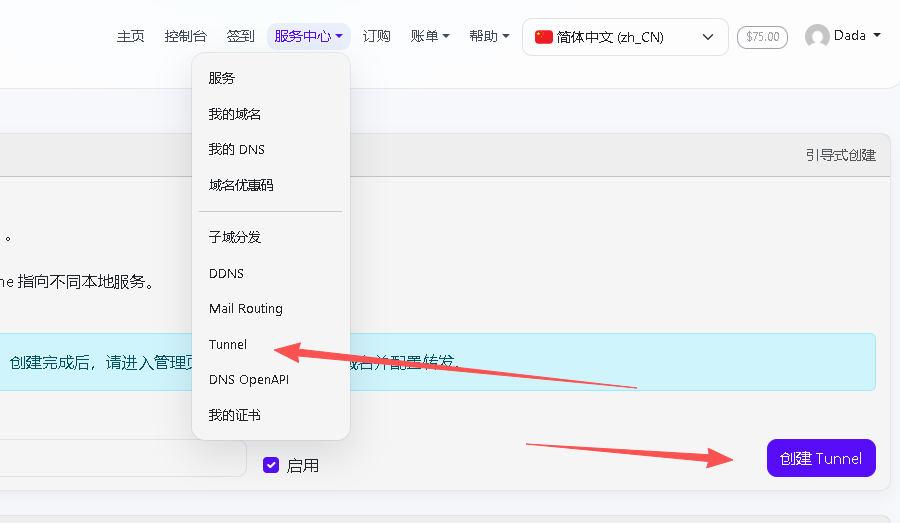
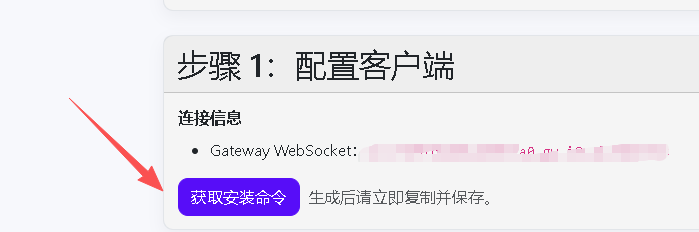
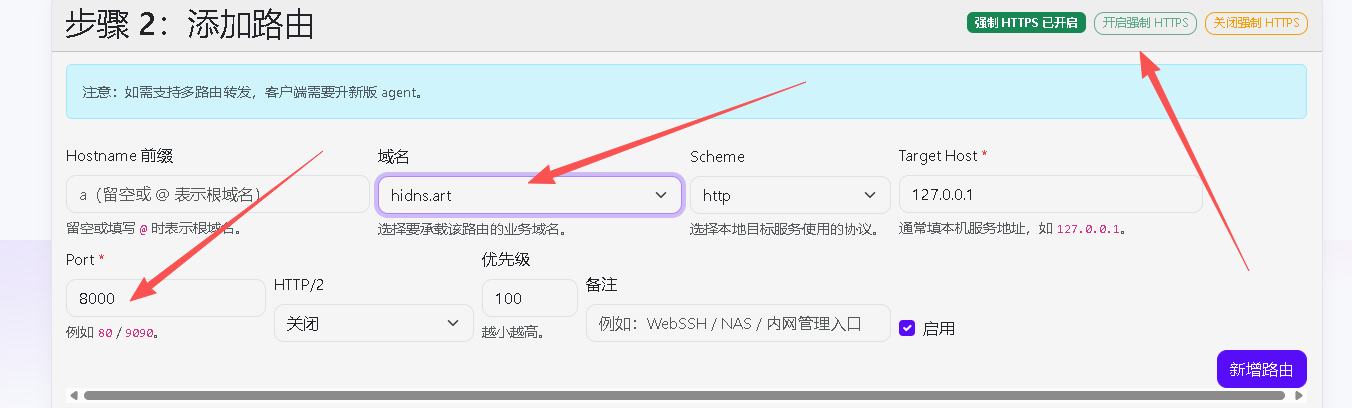
- Use VPS8’s tunnel feature
Once your certificate is active, you should be able to access the service.