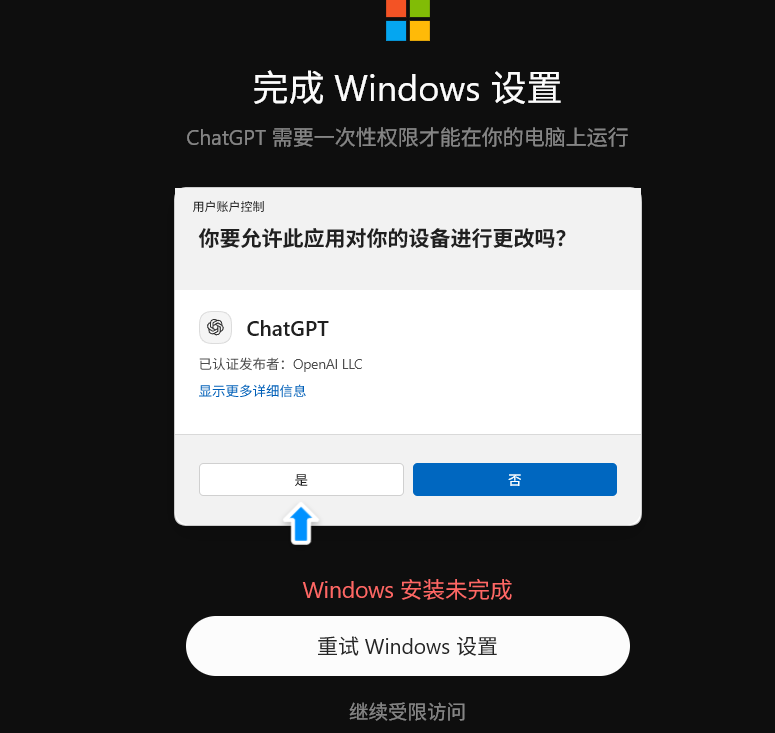
Did you get it installed?
It was working fine on 5.6 for the past couple of days, but today this suddenly popped up.
You’ve updated to the latest version, so is it working properly now?
1 Like
Clicking yes, what happens next?
Try using a proxy
No?
Never used it
No, I won’t.
Ran into this problem and have no idea how to fix it—waiting for some pros to give me tips.
I haven’t encountered this problem yet.
I’ve never encountered that.
The Codex configuration format is incorrect, so this will pop up. Not sure if yours is the same.
- First, completely close ChatGPT, Codex, and VS Code.
- Go to the C:\Users\Administrator.codex directory (replace ‘Administrator’ with your own username), find the config.toml file, and don’t delete it! Instead, rename it to config.toml.bak (to back it up).
- Then reopen ChatGPT and click “Retry Windows Setup” again—the new version of the program should regenerate the default configuration file.
If you can enter normally after this, most likely some item in the old config was incompatible. You can have the AI write a new config, but don’t just copy the whole old config over.
This seems to be a pretty common issue. You might also try updating to a newer version—some people said updating fixed it for them as well.
I came too late~ I didn’t get the red envelope.
1 Like
I’m here to play!
Just let it modify on its own. Take a screenshot and send it to the AI.
1 Like